Read your report
Your report is what the assessment produced — where you stand, where you fall short, and what to do about it.
Two audiences, two tabs
Executive Summary is written for people who decide: a handful of pages with your overall position, the areas that need attention and a short set of observations and recommendations. It is the version to take to a board or a management meeting.
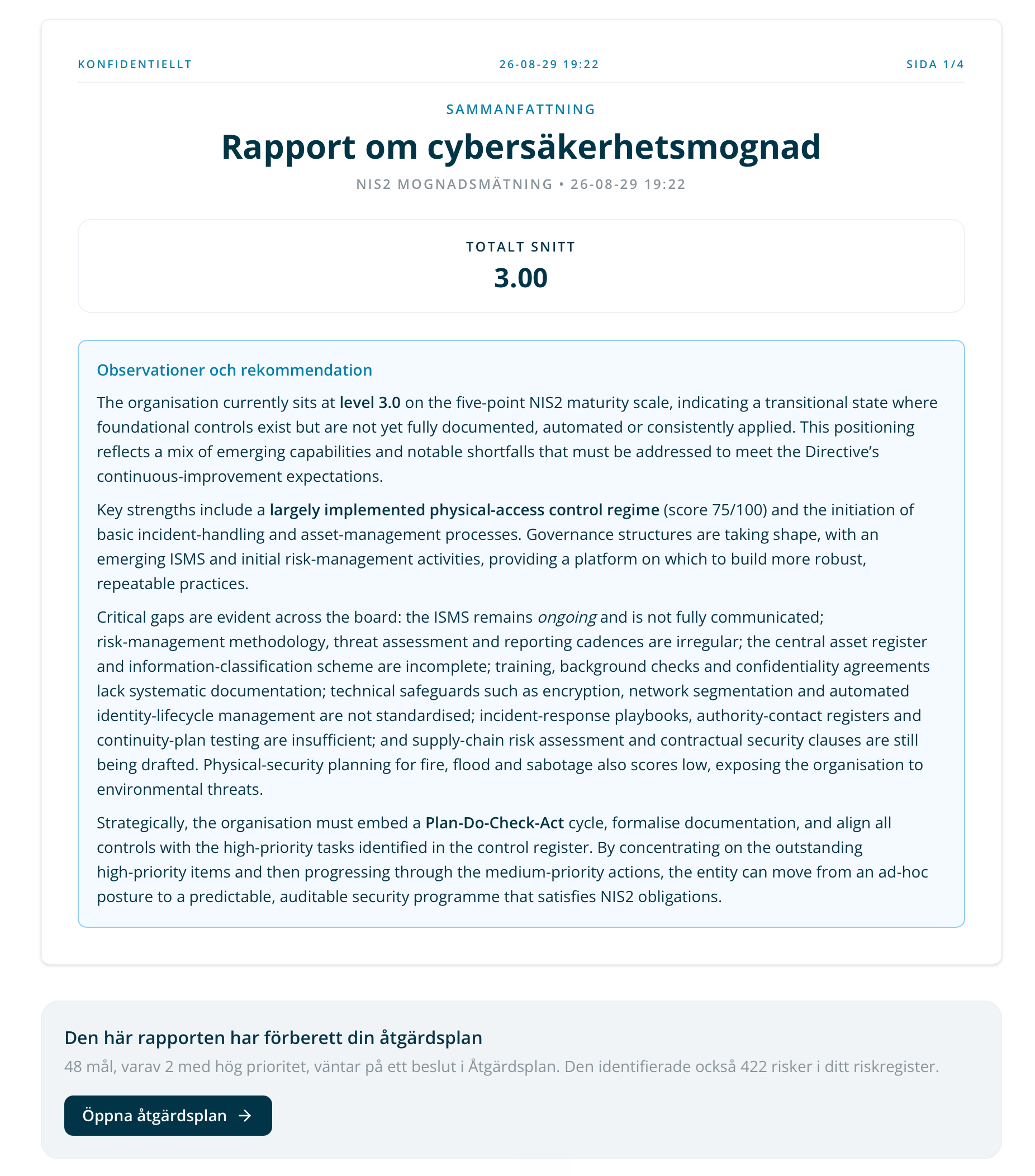
Detailed Results is written for people who act: every category, every score, the findings behind them and the controls that close the gaps.
Both come from the same answers. Neither is a summary of the other — they select different things from the same result.
Your score
The headline is your overall maturity on a 1–5 scale, with the same scale applied to each category. What each level means, and how answers become a level, is in The maturity scale.
Two reference lines sit behind the numbers, and they are easy to confuse:
- Acceptable is a fixed floor at level 3. Categories at or above it are in reasonable shape; below it they need action.
- Target is the level this organisation has agreed to reach, set per category. It can sit above the floor, and some question libraries set no target at all — where none exists, the target views are simply unavailable.
So a category can be acceptable and still short of target. That is not a contradiction; it is the difference between a minimum and an ambition.
Reading the bars
Where an assessment scored policy and practice separately, each category shows both — what is written down against what is actually done — and the distance between them. Where it scored a control once, there is one bar.
The category chart can be read three ways, and the control switches between them:
- Grouped — the raw scores, side by side on the 1–5 scale.
- Gap to Target — how far each score sits below target, in levels.
- Deviation — how far each sits above or below target.
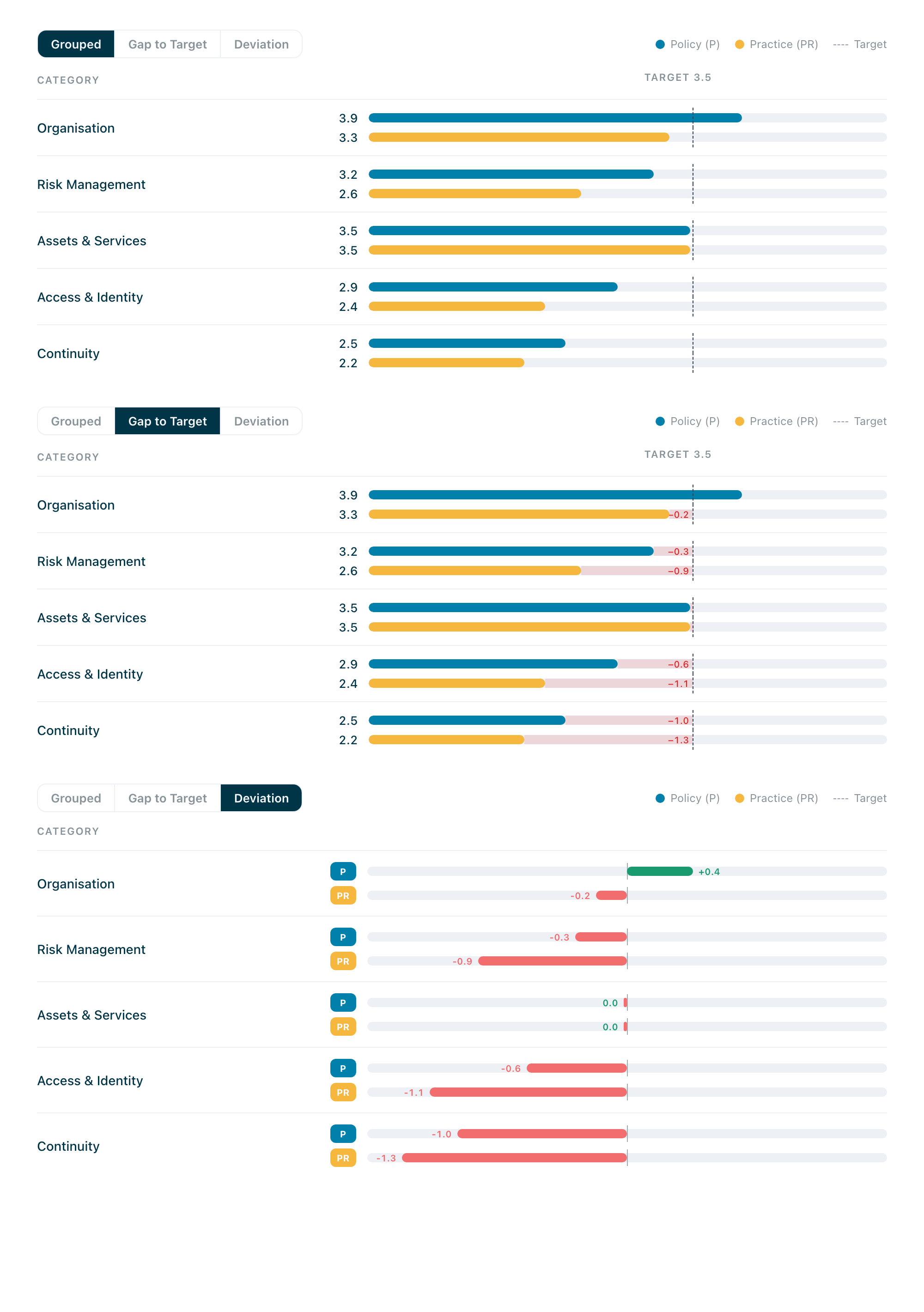
Grouped answers “where are we?”. The other two answer “where are we worst?”, which is a different question and usually the more useful one on a first read.
Findings, observations and recommendations
Under each category the report lists what it found: the controls that scored below where they should be, what was observed, and what to do about it — each recommendation carrying a priority.
Recommendations are proposals. Nothing here is committed work until you take it into your action plan, which is the subject of What the Action Plan is.
What the evidence says
Answers with documents attached are marked as supported by evidence. Answers without are marked as having none — and where several high-scoring answers have nothing attached, the report groups them and says so.
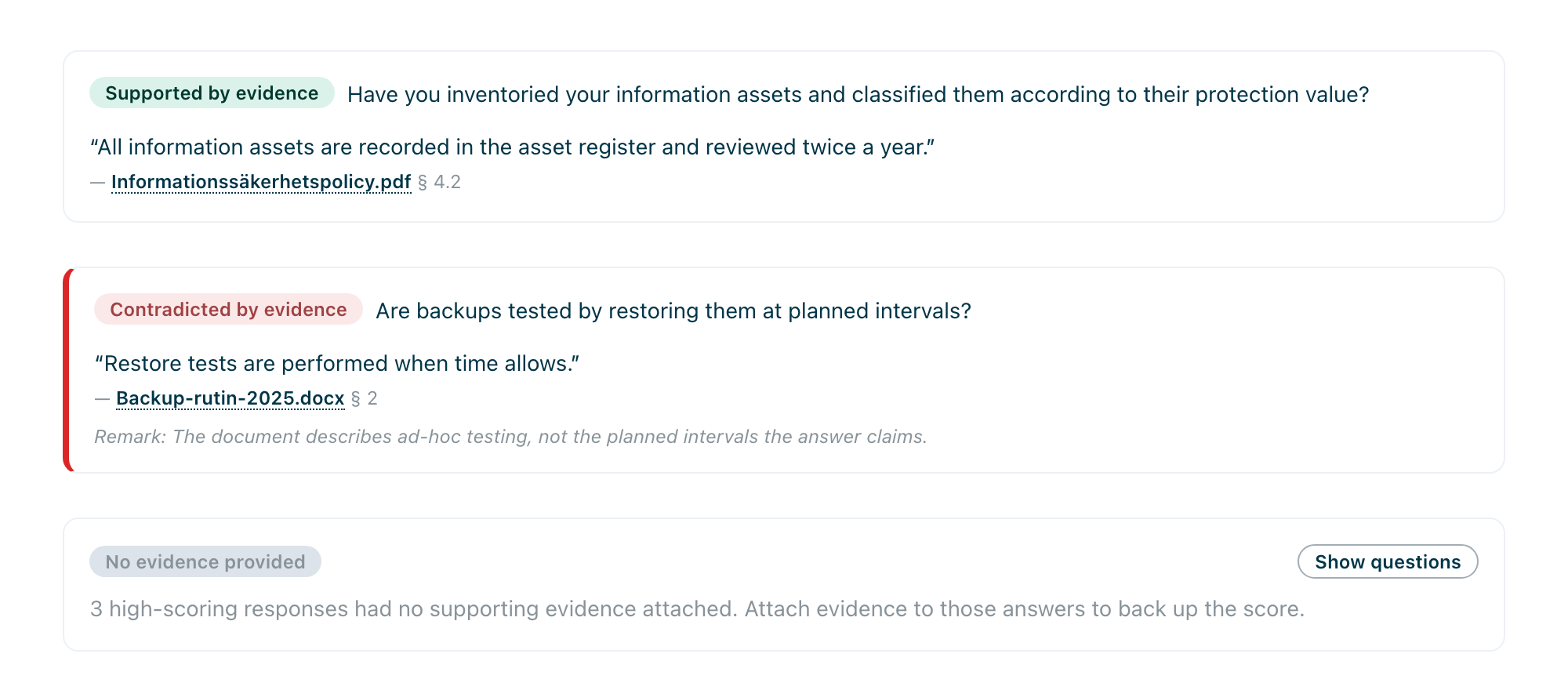
Read that as a prompt rather than an accusation. A high score with no evidence is not wrong; it is unverified, and it is the first thing an auditor will ask about. Occasionally the report will mark an answer as contradicted by evidence, where the documents attached do not support the level claimed.
Each mark carries its citation: the passage the platform read, quoted from the document, with the file name and where in it the passage sits. The quote is shown in the language of the document it came from, whatever language the report itself is in — so an English report on a Swedish organisation quotes Swedish policy text verbatim, with any remark about it in the report’s language.
What the assessment did not cover
At the end of the detailed results sits a section listing objectives that no question in this assessment reached — so the report says nothing about them.
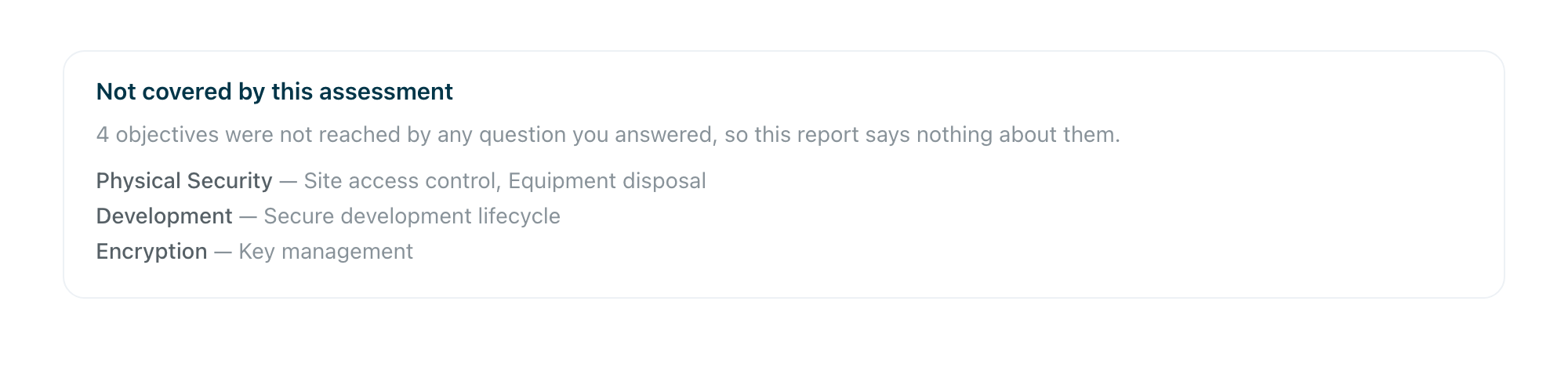
A report that only listed what it measured would read as complete; naming its own blind spots is what makes the rest of it trustworthy. If an area matters to you and appears here, that is an argument for running an assessment against a framework that covers it.
Taking it out of the platform
The report can be downloaded as a PDF — the detailed report and the executive summary as separate documents — and as JSON or CSV where you want the data rather than the document. It also prints.
Language
A report is generated in one language. If you are working in a language the report was not generated in, a banner offers to generate that version, and both versions then exist side by side against the same assessment. Nothing is retranslated in place: each version is generated from the same answers.
Editing the report
You can edit the report’s details and reorder its sections. What you cannot do is change the answers from here — those live in the assessment, and changing them means reopening it and regenerating the report.
When a report goes stale
If the assessment behind it changes after the report was generated, the report says so. It is not wrong, it is simply describing an earlier set of answers — regenerate it and the difference disappears.
What happens next
At the end of the report is the handover: how many objectives are waiting for a decision in your action plan, how many of them are high priority, and a way through to them.

That is the point where reading stops and work starts. See What the Action Plan is.